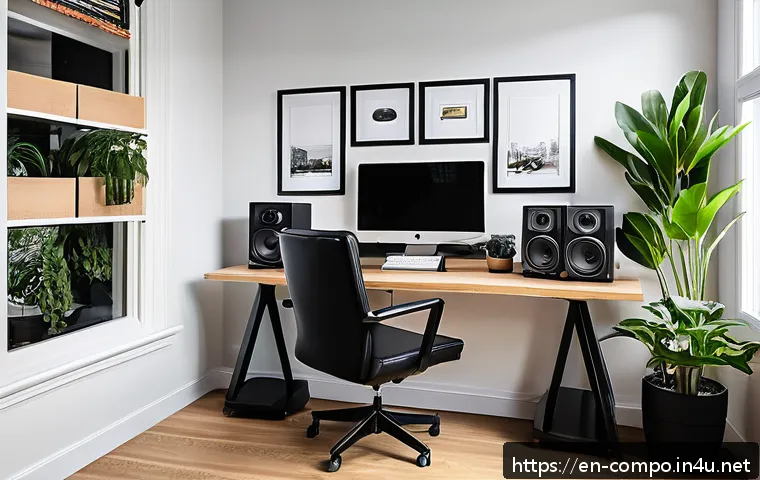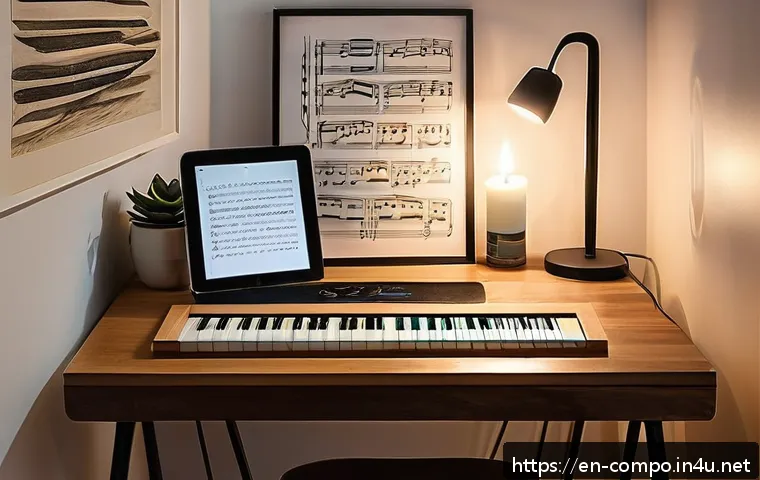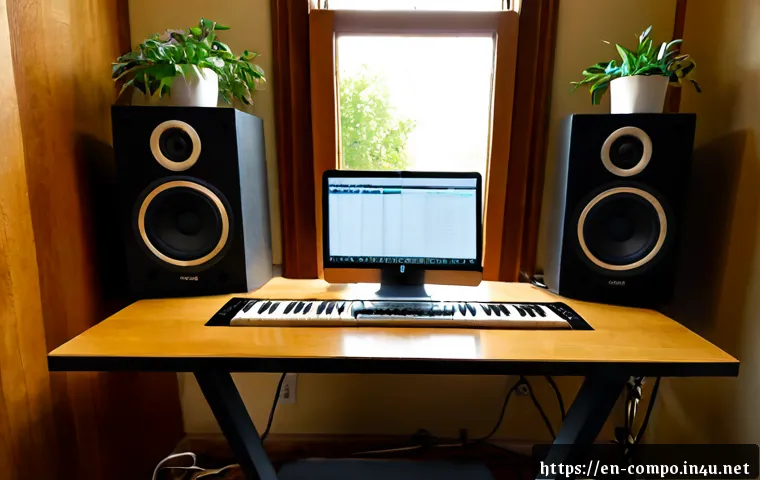
Build your composer workspace around fast idea capture, comfortable focus, and listening you can trust—not around the longest gear shopping list. For most people, a capable computer, a practical DAW workflow, dependable headphones or correctly placed monitors, and a usable desk matter before premium extras.
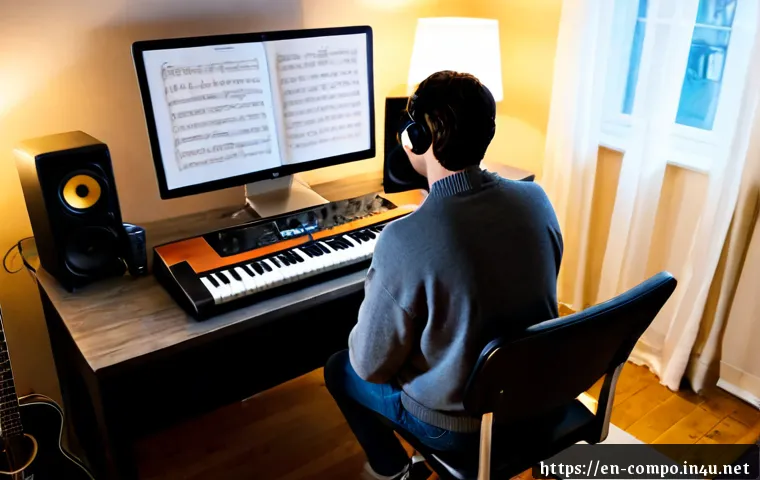
The right purchase order depends on your room, writing style, recording needs, and how often you work with sample-heavy projects. Small rooms and apartments often benefit more from thoughtful placement and basic acoustic treatment than from immediately buying larger studio monitors.
Compare hardware compatibility, software licensing, storage needs, and upgrade paths before committing to a home studio setup. A workspace that removes friction will usually support more finished music than one filled with unused equipment.
At a Glance
- Improve writing speed first: create a stable computer, DAW, MIDI, and desk workflow that lets you capture ideas immediately.
- Improve listening reliability second: choose dependable headphones or properly positioned studio monitors based on your room and noise limits.
- Upgrade the room before chasing prestige gear: placement, acoustic treatment, and cable control can solve problems that a more expensive product cannot.
| Workspace Path | Best For | Core Priorities | Upgrade Later |
|---|---|---|---|
| Budget Writing Setup | MIDI-focused composers, beginners, apartment writers | Computer, DAW, headphones, compact MIDI controller, backup storage | Studio monitors, acoustic treatment, audio interface |
| Growing Project Studio | Hybrid orchestral, electronic, and regular production work | Monitors, interface, practical treatment, larger storage, better MIDI control | Microphones, extra controllers, expanded recording setup |
| Expandable Professional Setup | Client delivery, collaboration, and live-instrument recording | Reliable monitoring, organized routing, recording access, backup workflow | Specialized microphones, additional inputs, room-specific improvements |
Start With the Creative Workflow, Not the Shopping List
A useful composer workspace supports three things: focus, reliable monitoring, and fast idea capture. If opening a session requires reconnecting hardware, locating files, or rebuilding routing, inspiration can disappear before writing begins. Start by identifying what you make most often: MIDI sketches, sample-library orchestration, electronic production, songs, or recorded performances.
The Three Priorities: Focus, Reliable Monitoring, and Fast Idea Capture
Focus means a desk that feels ready rather than crowded. Reliable monitoring means understanding what you hear well enough to make sensible decisions. Fast capture means your MIDI controller, DAW template, and basic input method are available without a complicated setup ritual. A modest setup that is always ready can be more productive than a technically impressive studio that is difficult to use.
A Quick Checklist for Evaluating the Room You Already Have
Check where the desk can sit, where speakers could be placed, how much outside noise enters the room, and whether neighbors may hear monitoring at your preferred level. Notice reflective surfaces, corners, windows, and furniture that may affect listening. Also consider daylight, seating comfort, cable routes, and whether the room needs to serve another purpose. Room dimensions, construction materials, and building restrictions should be assessed before choosing a final acoustic solution.
What to Improve First When Budget Is Limited
First, make the writing system stable: computer performance, a DAW you can use confidently, an input device, and safe file storage. Next, choose dependable headphones if your room or schedule makes speakers impractical. Then improve desk placement and basic workspace comfort. Studio monitors, an audio interface, and acoustic treatment become stronger purchases when they match a clear limitation in your current process.
Plan the Room for Comfortable Writing and Accurate Listening
A room does not need to look like a commercial studio to work well. It does need a deliberate layout. Place the desk where you can work for sustained periods, keep your monitor position consistent, and avoid treating furniture clutter as harmless when it blocks movement or creates cable problems.
Desk Position, Speaker Placement, and Small-Room Problems
If you use studio monitors, position them deliberately and keep the listening position repeatable. Avoid assuming that larger speakers automatically create better results in a smaller room. Speaker placement, listening level, room shape, and nearby surfaces all influence what you hear. In a tight room, headphones may remain the more practical primary reference, while monitors can be used carefully for perspective checks.
Light Control, Ergonomics, Cable Management, and Distraction Reduction
Put frequently used tools within easy reach: keyboard, mouse, MIDI controller, headphones, and a notebook if you use one. Reduce glare on the display and use lighting that does not strain your eyes during long sessions. Route power, audio, and USB cables so they are identifiable and not constantly pulled or tangled. Small improvements in comfort can protect concentration just as effectively as another plugin.
When Acoustic Treatment Is More Valuable Than Higher-End Speakers
If your current monitors are difficult to judge because of obvious room reflections, uneven bass, or awkward placement, investigate acoustic treatment and layout before replacing the speakers. Treatment needs vary by room dimensions, construction, speaker position, and listening level. Do not buy panels simply for appearance; identify the listening issue you are trying to address and check product guidance for placement and intended use.
Compare Essential Equipment by Value, Cost, and Upgrade Potential
Every purchase should answer a workflow question. Does it reduce waiting, improve decisions, expand your input options, or solve a real reliability problem? If it does none of these, it may be an optional upgrade rather than an essential one.
Computer, DAW, and Storage for Sample-Heavy Projects
Large sample libraries and dense sessions can place pressure on computer performance and storage. Before adding more libraries, confirm that your system can load, save, and back up projects without disrupting the writing process. Keep active projects organized separately from archived material when possible. Choose a DAW based on how you compose, edit, score, record, and deliver work—not just on its feature list.
Studio Monitors Versus Headphones
Headphones are often the sensible choice for apartments, late-night work, and rooms that cannot support accurate speaker monitoring. Studio monitors can be valuable for checking stereo image, overall balance, and how music behaves outside headphones, but they depend heavily on placement and room conditions. Many composers benefit from using both as complementary references rather than expecting either one to answer every mix decision.
Audio Interfaces, MIDI Controllers, Microphones, and Buying Criteria
An audio interface is useful when you need dependable audio connections, microphone inputs, instrument recording, or convenient monitor control. A MIDI controller should suit your writing gestures: keys for performance input, pads for rhythm, faders for control, or a compact format for limited desk space. Buy a microphone only when recording is part of your actual work. Before ordering hardware, verify computer compatibility, available ports, input needs, driver support, and physical desk space.
One-Time Software Licenses Versus Subscription Tools
A one-time license may suit composers who prefer a stable toolkit and predictable ownership. A music-production software subscription may suit users who want ongoing updates or a broader collection of instruments and effects. Compare what is included, how access works if payments stop, update policies, and whether the tools support your normal sessions. Check software subscription costs and license terms on the relevant official product page before deciding.
Build a Repeatable Composition and Production Workflow
Templates turn a workspace into a working system. Build separate starting points for orchestral writing, electronic production, scoring, songwriting, or recording sessions. Each template should open with only the tracks, routing, and instruments you regularly need.
Templates for Different Types of Sessions
An orchestral template may prioritize organized sections and efficient sample loading. An electronic template may prioritize sound design, drums, and routing. A scoring template may need markers, timing references, and clear version delivery. Keep templates lean enough to open quickly; a giant default session can create delay rather than convenience.
File Organization, Backups, and Sample-Library Management
Use consistent project folders and version names that make sense later. Save alternate versions before major edits, and keep backups separate from the active working location when possible. Label sample-library locations clearly so storage expansion does not become a search problem. The goal is simple: you should be able to reopen a project without guessing where its essential files belong.
Reducing Setup Friction
Leave your most-used controller connected when practical. Keep a simple capture template ready. Create a short pre-session check: power, headphones or monitors, project location, and backup status. This is not glamorous, but it reduces the number of small obstacles between an idea and a recorded sketch.
Avoid Costly Setup Mistakes in Home Studios and Apartments

The most expensive mistake is buying for an imagined future workflow while ignoring today’s limitations. A room, computer, and recording situation should guide the purchase order.
Overspending on Gear Before Addressing Room Limitations
Premium studio monitors cannot erase a poor placement decision or an untreated room. Likewise, extra plugins cannot compensate for a confusing template or disorganized files. Identify the bottleneck first, then spend where it removes that bottleneck.
Incompatible Hardware, Underpowered Storage, and Unnecessary Plugins
Confirm compatibility before buying an interface, controller, drive, or software instrument. Consider ports, operating system support, storage capacity, and your DAW workflow. Avoid collecting overlapping plugins when the included tools already cover the sounds and processing you use.
Neighbor Noise, Vibration, and Recording Limitations
Apartment studios require realistic expectations. Keep monitoring levels responsible, account for shared walls and vibration, and plan headphone-based work when needed. If you record live instruments, assess local building rules, available quiet hours, and the practical noise level of the space before expanding your recording setup.
Choose the Right Upgrade Path for Your Composition Work
Your next upgrade should match the type of work you do most often. A practical path keeps the current system useful while improving one clear weakness at a time.
Budget Setup: Prioritize Writing Speed and Dependable Headphones
For a first workspace, prioritize a capable computer, a familiar DAW, reliable headphones, a comfortable desk position, and a MIDI controller that encourages writing. Add external storage and a backup routine before filling the room with optional accessories.
Growing Setup: Add Monitors, Treatment, and Better MIDI Control
When your room allows it, compare monitor options based on placement flexibility and your listening needs. Add acoustic treatment only after evaluating the room and identifying issues worth addressing. A more expressive MIDI controller or audio interface can be worthwhile when it improves the way you actually compose or record.
Professional-Facing Setup: Collaboration, Delivery, and Recording Needs
For client work, prioritize predictable sessions, organized exports, dependable backups, and communication-ready delivery habits. If you collaborate or record performers, your interface inputs, microphone needs, monitoring, and room access may become more important than additional virtual instruments.
Selection Criteria and Comparison Summary Before You Buy
Choose products that fit the room, connect cleanly with the existing system, and support a clear next step. A flexible setup does not mean buying everything now. It means leaving room for a future interface, monitor pair, storage expansion, treatment plan, or recording tool when the work justifies it.
Selection Criteria and Comparison Summary
Before purchasing, use this short checklist:
- Compare monitor options: Can your room support their placement and your normal listening level?
- Evaluate acoustic-treatment needs: Have you identified a real room problem rather than an appearance goal?
- Check software subscription costs: Does the licensing model fit how you expect to work over time?
- Confirm compatibility: Will the interface, controller, storage, and DAW work together on your computer?
- Protect workflow: Does this purchase make writing, recording, mixing, or backup noticeably easier?
For exact specifications, compatibility details, and current terms, check the relevant manufacturer or official software page before buying.
Final Thoughts
A composer workspace should help you start quickly and make decisions with less uncertainty. Build the basic workflow first, then improve monitoring and room comfort as your needs become clear. There is no universally best DAW, monitor, interface, or treatment product. The best setup is the one that fits your room, your music, and the way you work consistently.
Useful Things to Know
1. Headphones can be a practical primary tool in small rooms or shared buildings.
2. Studio monitors work best when placement and room conditions are considered together.
3. Templates, file naming, and backups are workflow upgrades, not administrative afterthoughts.
4. A focused upgrade plan usually provides more value than buying several unrelated products.
Important Notes
Exact acoustic needs, noise restrictions, room behavior, available space, and local equipment pricing vary widely. Product suitability also depends on computer compatibility, personal composing style, intended listening level, and recording requirements. Assess these conditions before making a final equipment or treatment decision.
Frequently Asked Questions
Q1. How much should a composer budget for a home workspace?
A1. Start with the tools that let you write and save work reliably: a capable computer, DAW, practical input method, dependable monitoring, and backup storage. The total depends on your existing equipment, room, and whether you need recording capability.
Q2. Is acoustic treatment necessary for a composer who mainly uses headphones?
A2. Not always. If headphones are your primary monitoring method, treatment may be less urgent. It can become more relevant if you also use speakers or if the room creates distractions that affect your work.
Q3. What equipment should a beginner composer buy first?
A3. Prioritize a stable computer setup, a DAW you can learn well, dependable headphones, and a MIDI controller if you write with virtual instruments. Add an audio interface or microphones when your workflow requires recording or dedicated connections.
Q4. Should I pay for a DAW subscription or choose a one-time purchase?
A4. Choose based on your preferred payment model, included tools, update needs, and what happens to access when payments stop. Review official licensing details rather than assuming that one model is better for every composer.
Q5. Are studio monitors worth buying for a small apartment room?
A5. They can be useful, but only if you can place and use them responsibly within the room and building limits. Dependable headphones may be the more practical first choice when space, noise, or acoustics are restrictive.